
We’ve just added a way for members to leave and read comments! This allows members to interact with each other by sharing experiences, tips, recommendations, and solutions.
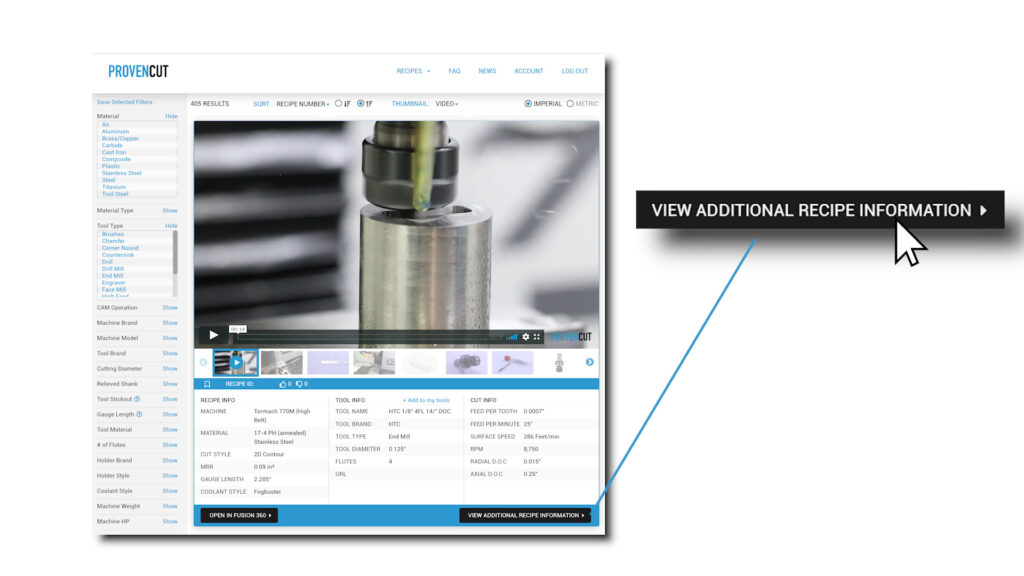
After selecting a recipe, at the bottom of the general information box, click the “View Additional Recipe Information” button.
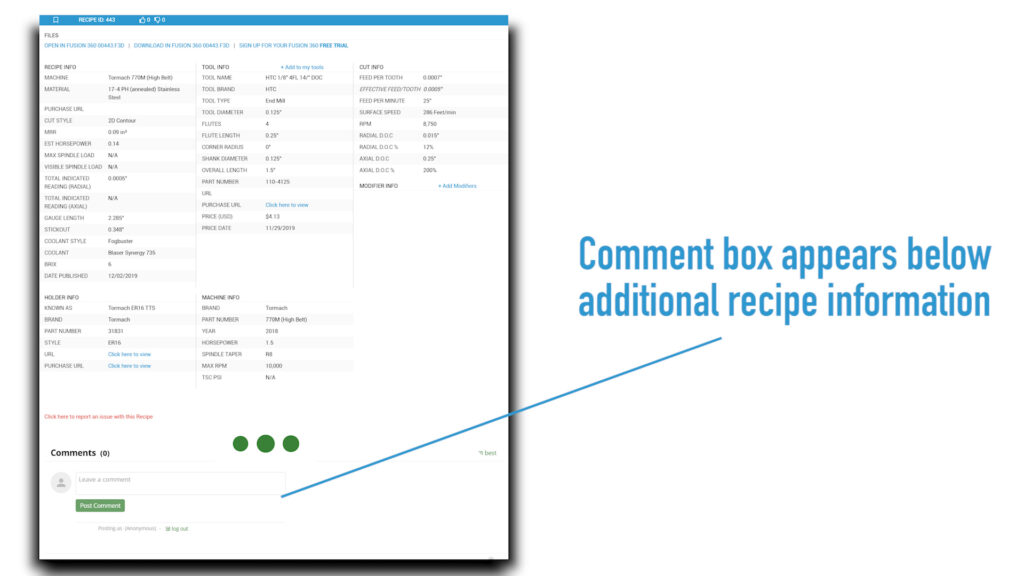
Below the detailed speeds & feeds data, the comment section will appear.
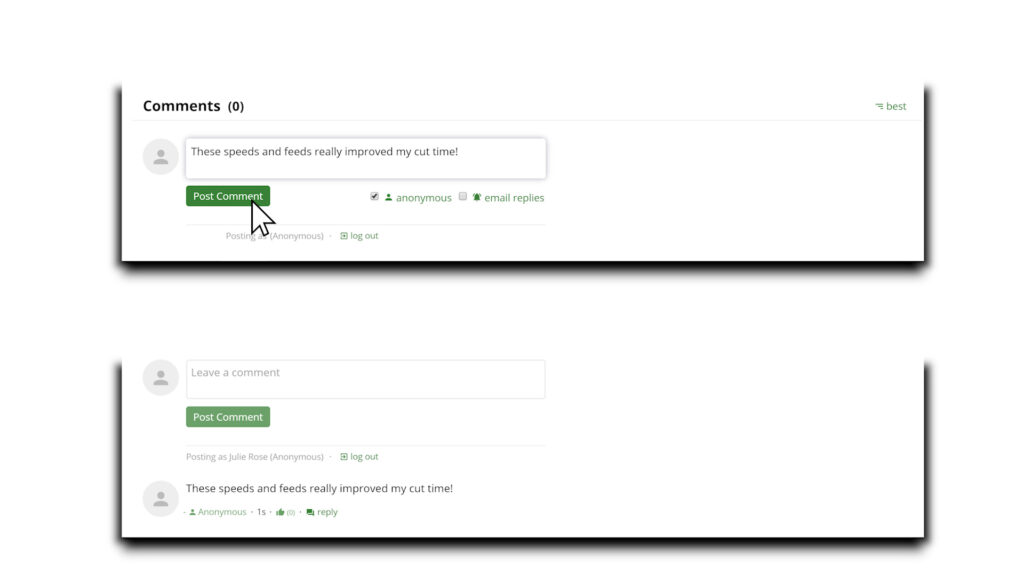
Now you can add your comment! If you prefer not to show your name, you can check the “anonymous” box.
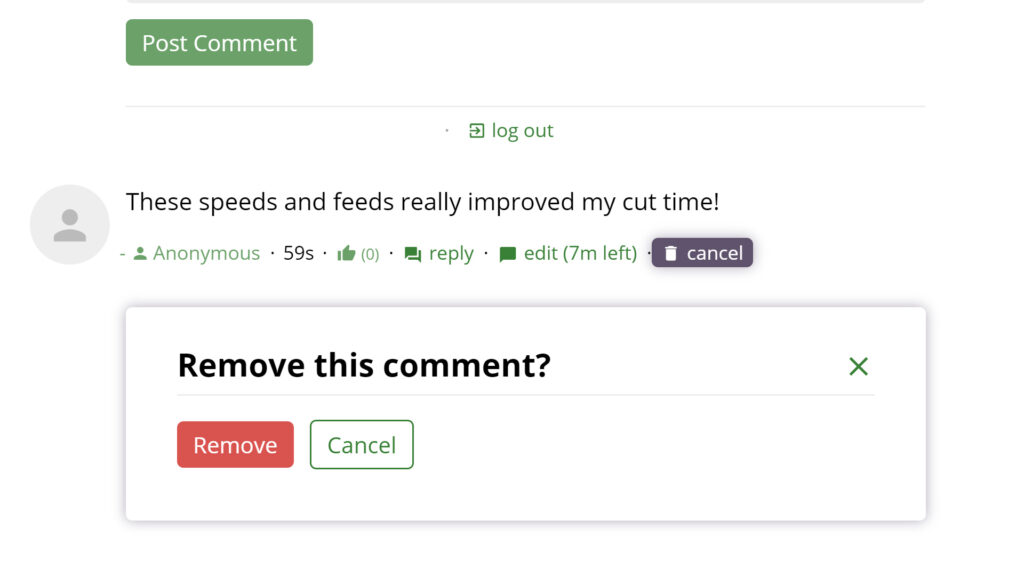
Lastly, you can also edit, delete, or reply to another comment.