
ProvenCut users can now modify recipes based on their CNC machine’s maximum RPM.
This feature is particularly useful if your CNC machine has a lower RPM than the ProvenCut recipe. The cutting characteristics of CNC machines, cutting tools, and materials are generally forgiving when reducing RPM.
In certain cases, Modified Recipes can be used when your CNC machine has a higher RPM range than the ProvenCut recipe; however this feature should be used with caution. For example, engraving recipes can tolerate being scaled to a higher RPM while others cannot. Modifying a recipe with higher RPM should never be used for traditional CNC machining operations like drilling, roughing, adaptive, or slotting.
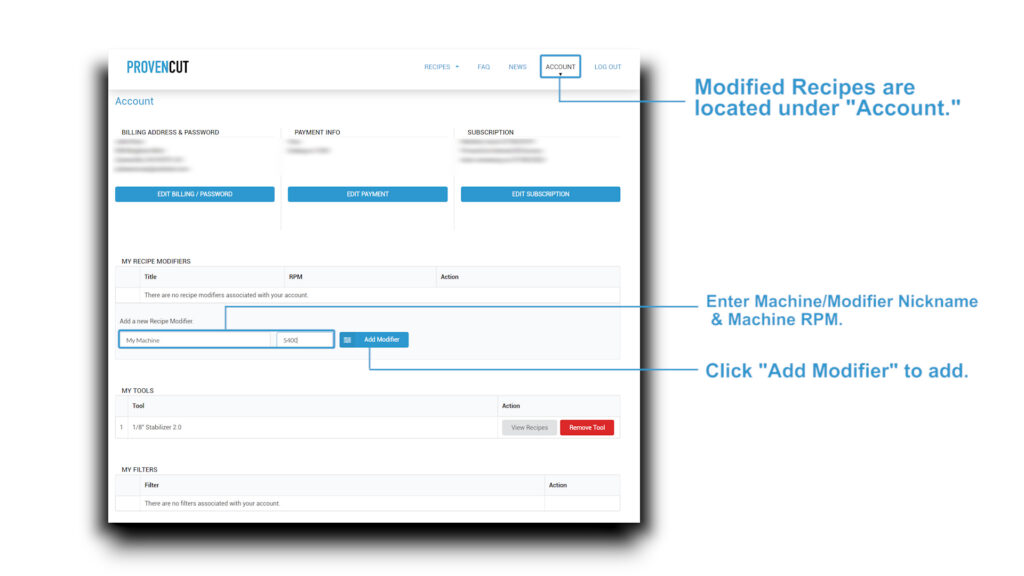
On the My Account page, you can add modifiers by naming the machine, entering the maximum RPM, and saving it to the “My Recipe Modifiers” section.
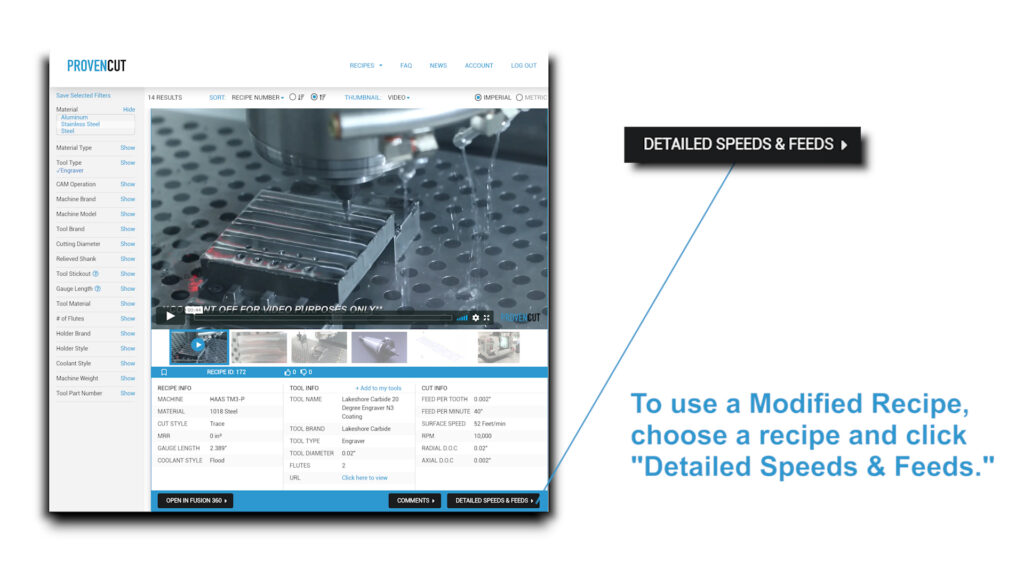
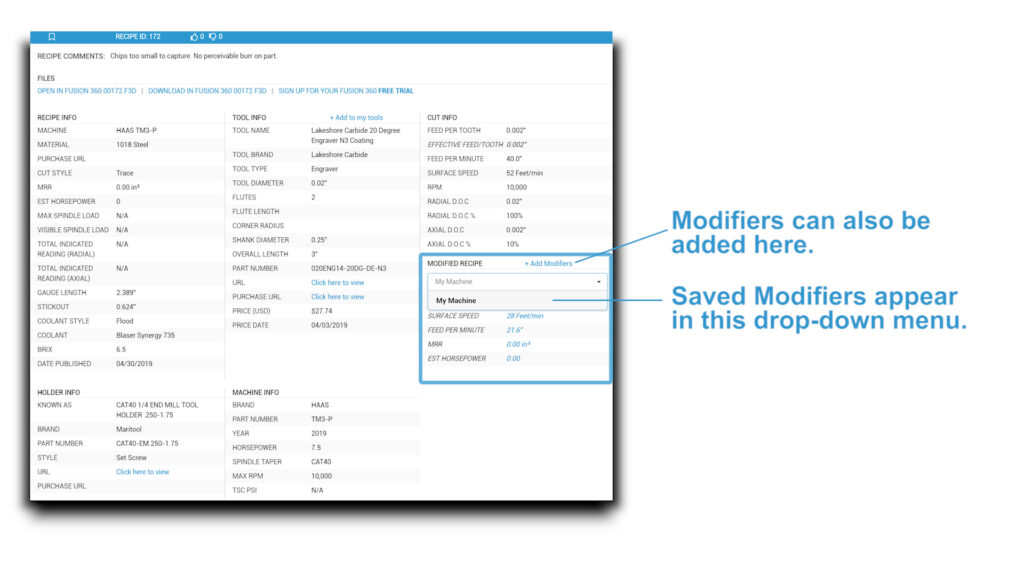
The Detailed Feeds & Speeds page for each ProvenCut recipe displayes Modified Recipe information including the modified RPM, surface speed, feed per minute, material removal rate (MRR) and estimated horsepower.
Modifiers can also be added from the “Detailed Feeds & Speeds” page on any recipe.
Disclaimer:
**Modified Recipes are not tested or represented in the photos, video, or CAM file. Increasing RPM and/or feedrate can have negative outcomes, such as chatter, broken tools, and stalling the spindle motor. For these reasons, it is not advisable for many recipes and tools.**